
Google just launched Pics, a new AI tool that turns a plain text prompt into a finished graphic. The Google Pics AI tool is built on Google’s Nano Banana image model, and it landed inside Docs and Slides today, with Drive support coming soon. If you have ever opened Canva, stared at a blank template, and closed the tab out of sheer decision fatigue, this one is worth a look.
What Google Pics Actually Does
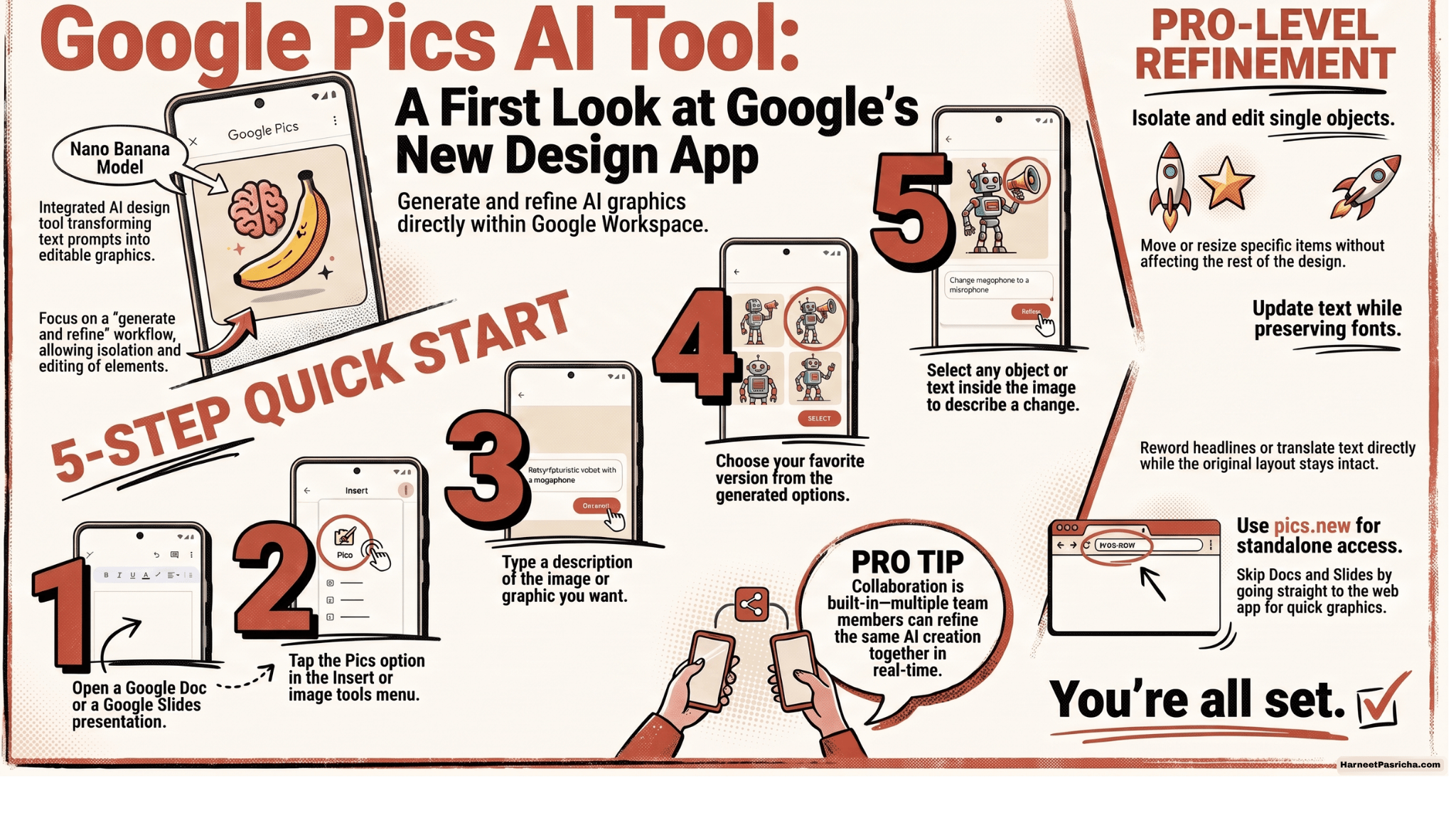
- Step 1: Generate. Describe what you want, and the app hands back several versions.
- Step 2: Refine. Point at a specific part and type what you want changed, instead of starting the whole design over.
- Isolate objects: Edit, move, or resize a single object inside the image without touching anything else.
- Edit baked-in text: Reword a headline or translate it directly inside the image while the original font and layout stay intact.
Getting Started With the Google Pics AI Tool
You do not need to install anything separate to try this. Here is how to get in:
- Open a Google Doc (Gemini in Docs) or a Google Slides presentation.
- Look for the Pics option in the Insert or image tools menu.
- Type a description of the image or graphic you want, such as “minimal poster announcing a fall sale.”
- Review the handful of versions Pics generates and pick your favorite.
- Select any object or text inside the image and describe the change you want, then repeat until it looks right.
You can also skip Docs and Slides entirely and go straight to pics.new to use it as a standalone app.
How It Stacks Up Against Canva
- Starting Point: Canva uses a blank canvas and templates you build from scratch. Pics generates a first draft based on your prompt.
- Workflow Focus: Canva focuses on designing from the ground up. Pics focuses on refining an AI-generated draft to save time.
- Ecosystem Integration: Canva is a standalone suite. Pics works directly inside Google Docs and Slides, making it easy to collaborate within Workspace.
- Target Audience: Canva is ideal for users who need granular control over typography and layout. Pics is best for users who want quick, professional graphics without decision fatigue.
Who Should Try It
If you are already a Google AI Pro or Ultra subscriber, or your workplace uses Google Workspace business plans, this rolls out to you automatically over the coming weeks. Everyday users who want quick graphics without learning a full design tool will likely get the most value here. Professional designers who need pixel-level control over typography and layout will probably still prefer Canva or Adobe Express for now.
Google Pics is still expanding into more places inside Workspace, with Drive support next on the list. For a tool that just went live, it already covers a surprising amount of ground.
Google Pics is a new AI-powered image creation and editing tool from Google, built on the Nano Banana model. It lets you generate graphics from a text prompt and then refine specific parts of the image without starting over.
Google Pics is available inside Google Docs and Google Slides now, with Google Drive support coming in the following weeks. You can also access it directly as a standalone app at pics.new.
Google Pics is rolling out to Google AI Pro and Ultra subscribers, along with most Google Workspace business customers. Access is expanding gradually rather than all at once.
Google Pics is included with a Google AI Pro or Ultra subscription and with eligible Workspace business plans, rather than being offered as a separate free standalone product.
Canva starts you off with a blank canvas and templates you build from scratch. Google Pics starts with an AI-generated draft based on your prompt, and you spend your time refining that draft instead of designing from zero.
Yes. Google Pics can modify or translate text that is already part of an image while keeping the original font and layout in place.