
— PRACTICAL TECH. NO FLUFF
Get more out of
your tech.
Clear, useful guides for Android, Mac, Google, AI and the everyday tools that should make life easier.
-
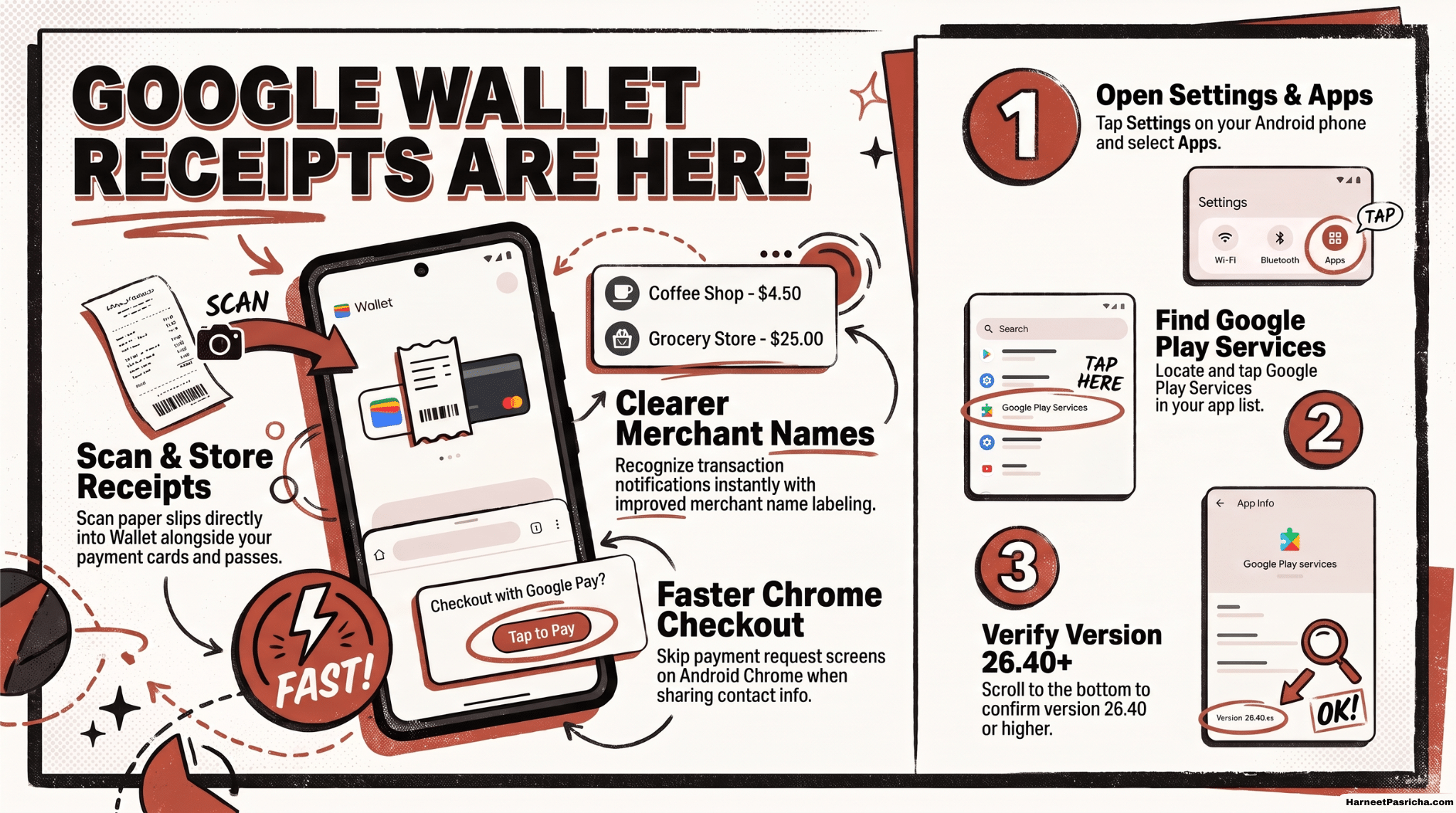
Google Wallet Receipts Are Here, Plus 3 More Upgrades
Google Wallet can now scan receipts, and three smaller upgrades make everyday payments a bit smoother. Here is what changed and how to check if your phone has it.
— FRESH FROM HARNEET
Latest articles
-
Google Wallet Receipts Are Here, Plus 3 More Upgrades
Google Wallet can now scan receipts, and three smaller upgrades make everyday payments a bit smoother. Here is what changed…
-
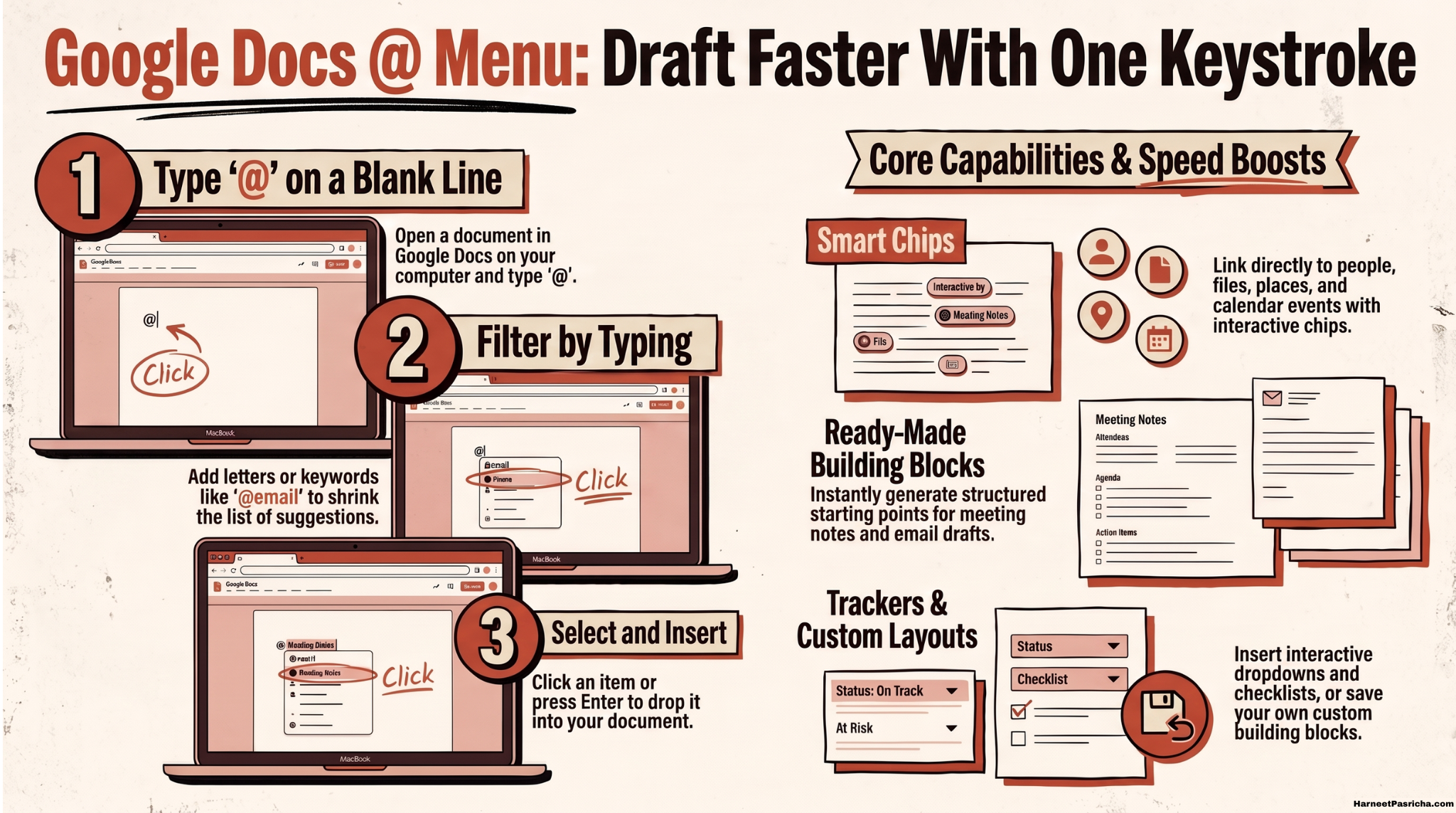
Google Docs @ Menu: Draft Faster With One Keystroke
Typing one little @ symbol in Google Docs can add people, files, email drafts, tables, and more. Here is how…
-
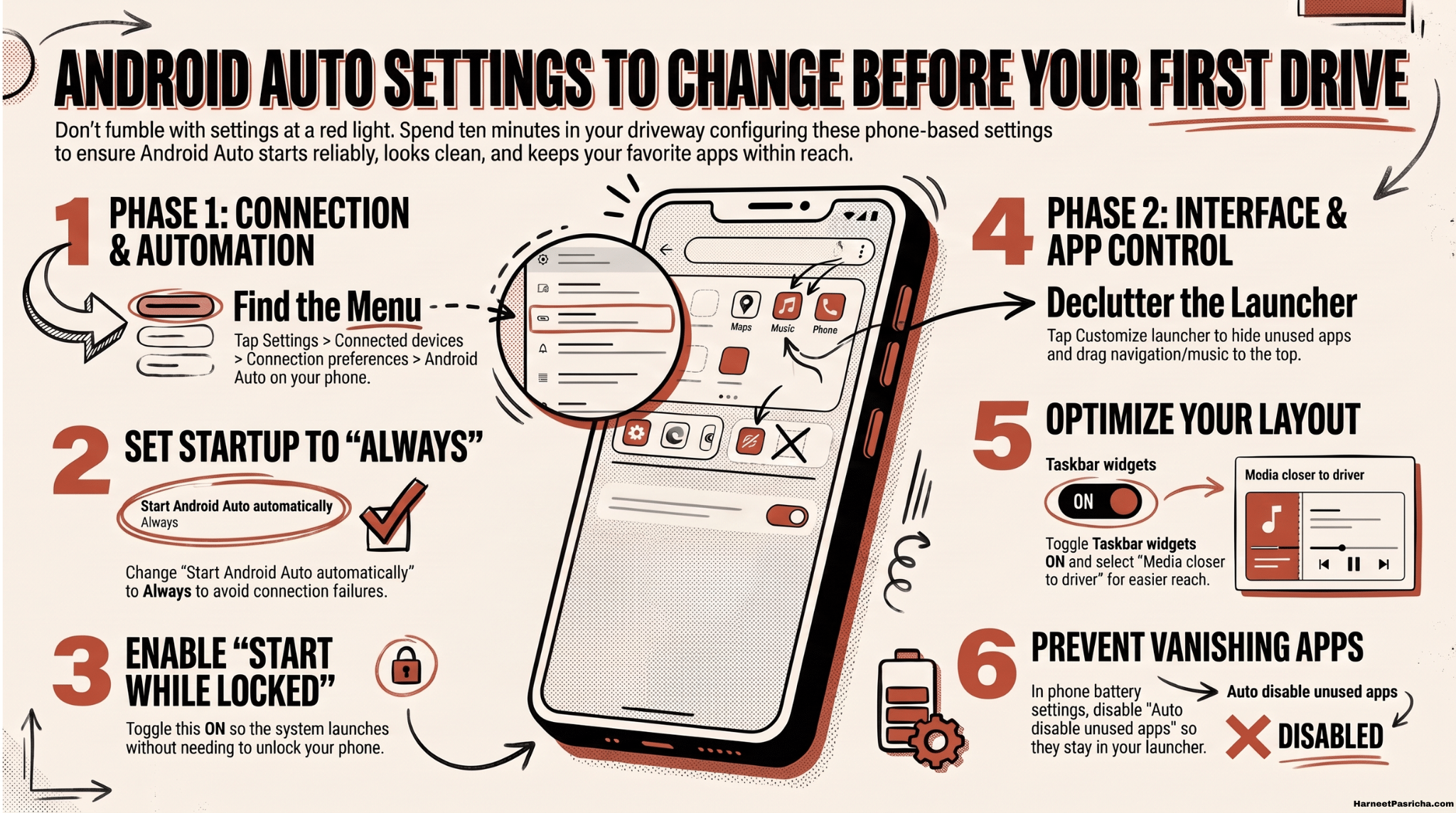
Android Auto Settings to Change Before Your First Drive
Take ten minutes to set up Android Auto in your driveway before you hit the road. Discover how to customize…
-
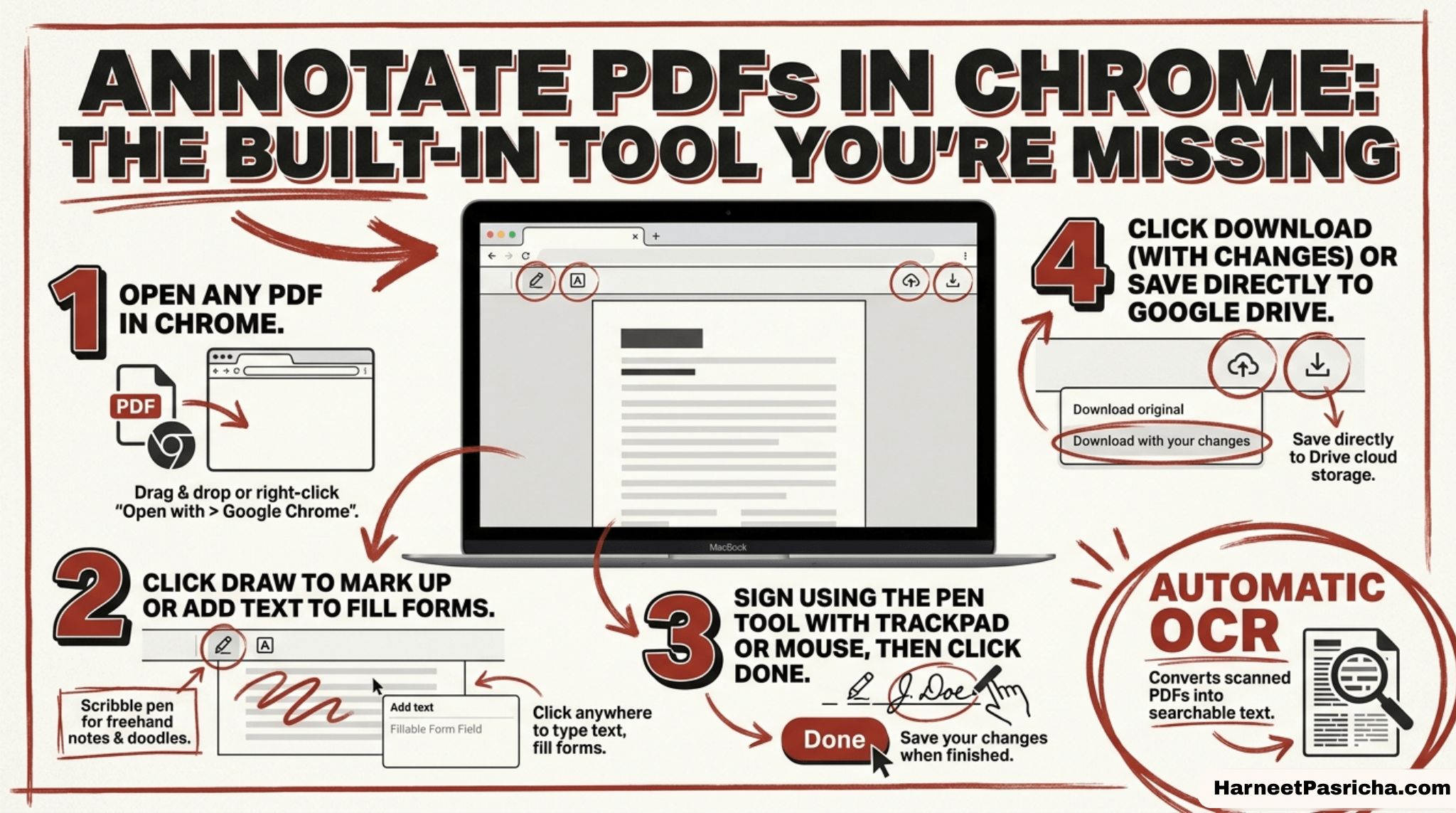
Annotate PDFs in Chrome: The Built-In Tool You’re Missing
Chrome has been quietly hiding a way to highlight, sign, and mark up PDFs without ever leaving the browser. Here’s…
-

Gemini Call for Me: Let AI Handle Your Boring Phone Calls
Google’s new Gemini Call for Me feature on the Pixel 11 uses AI to handle routine phone calls like checking…
-

Google Vids AI Video Is Now Free for Anyone With a Google Account
I’ve wanted an easy way to make short videos without learning a real video editor. Google just made that a…
-
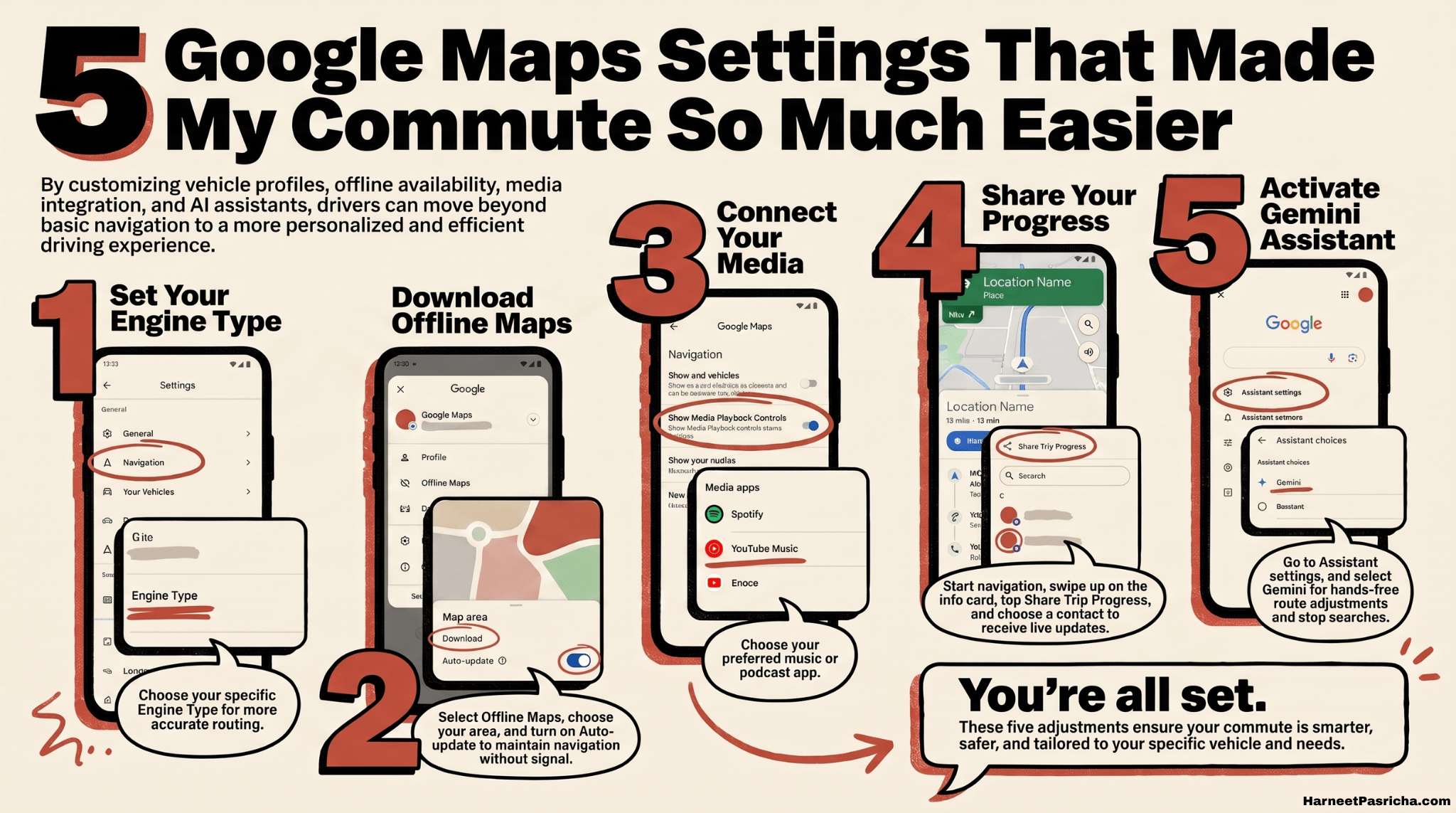
5 Google Maps Settings That Made My Commute So Much Easier
Five settings buried in Google Maps that quietly made my daily drives easier, from smarter routing to a hands-free Gemini…
Find the fix, shortcut or idea you need.
No endless scrolling. Start with the platform or problem in front of you.
Technology should feel empowering, not overwhelming.
Harneet Pasricha shares practical tips, helpful discoveries and honest recommendations for making everyday technology work better.
More about Harneet →