

Yes, iPhone users can now FaceTime with friends on Android. The secret? A FaceTime link you create and share. No apps or hacks required—just a browser.
Here’s how to do it in under a minute:
1. Open FaceTime on your iPhone
- Launch the FaceTime app (built into every iPhone).
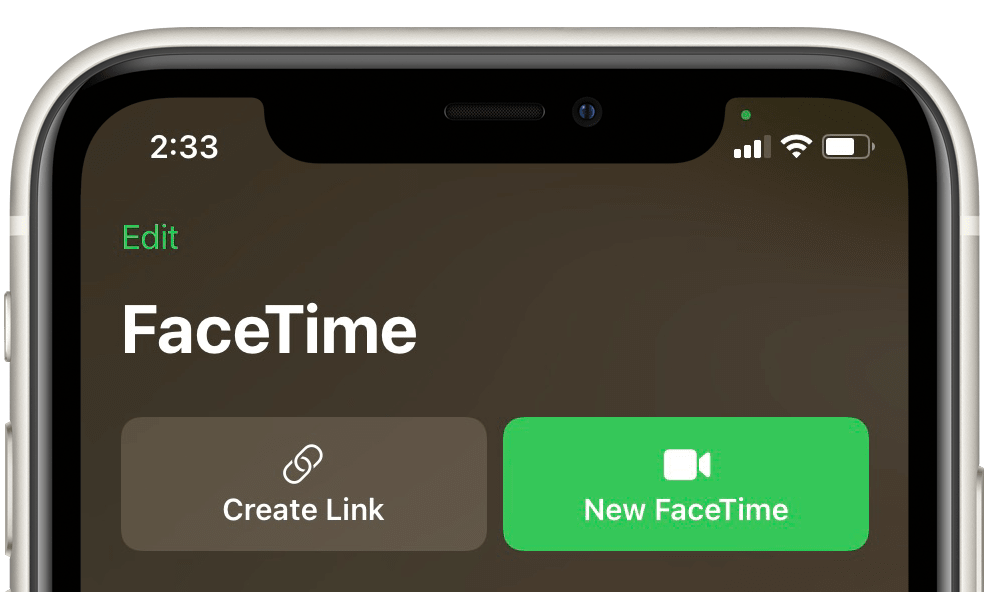
2. Create a FaceTime link
- Tap “Create Link” at the top.
- This generates a unique FaceTime meeting link—just like a Zoom or Google Meet invite.
3. Share the link with your Android friend
- Choose Messages, WhatsApp, Email, or Copy Link.
- Send it however you usually chat with them.
4. Android joins via browser
- When your friend taps the link, it opens in Google Chrome or any modern browser.
- They’ll enter their name and tap Join.
5. Approve the join request
- You’ll see a request pop up in FaceTime.
- Tap Check → Join. Boom—you’re connected.
Tips to Make It Smooth
- Use Wi-Fi: Video quality is much better than on mobile data.
- Update iOS: Make sure your iPhone is running iOS 15 or later.
- Browser matters: Android users should stick to Chrome for the best results.
- No Apple ID
Harneet Pasricha