Harneet Pasricha

Technology, Entertainment, & Life Hacks
  • About Harneet Pasricha – Tech Tips & Life Hacks Blog
  • Legal – Harneet Pasricha

Gmail Just Got A Little Safer

February 9, 2016 Harneet Pasricha
Off
All, Gmail, Google

Gmail introduces 2 new icons to make you safer:
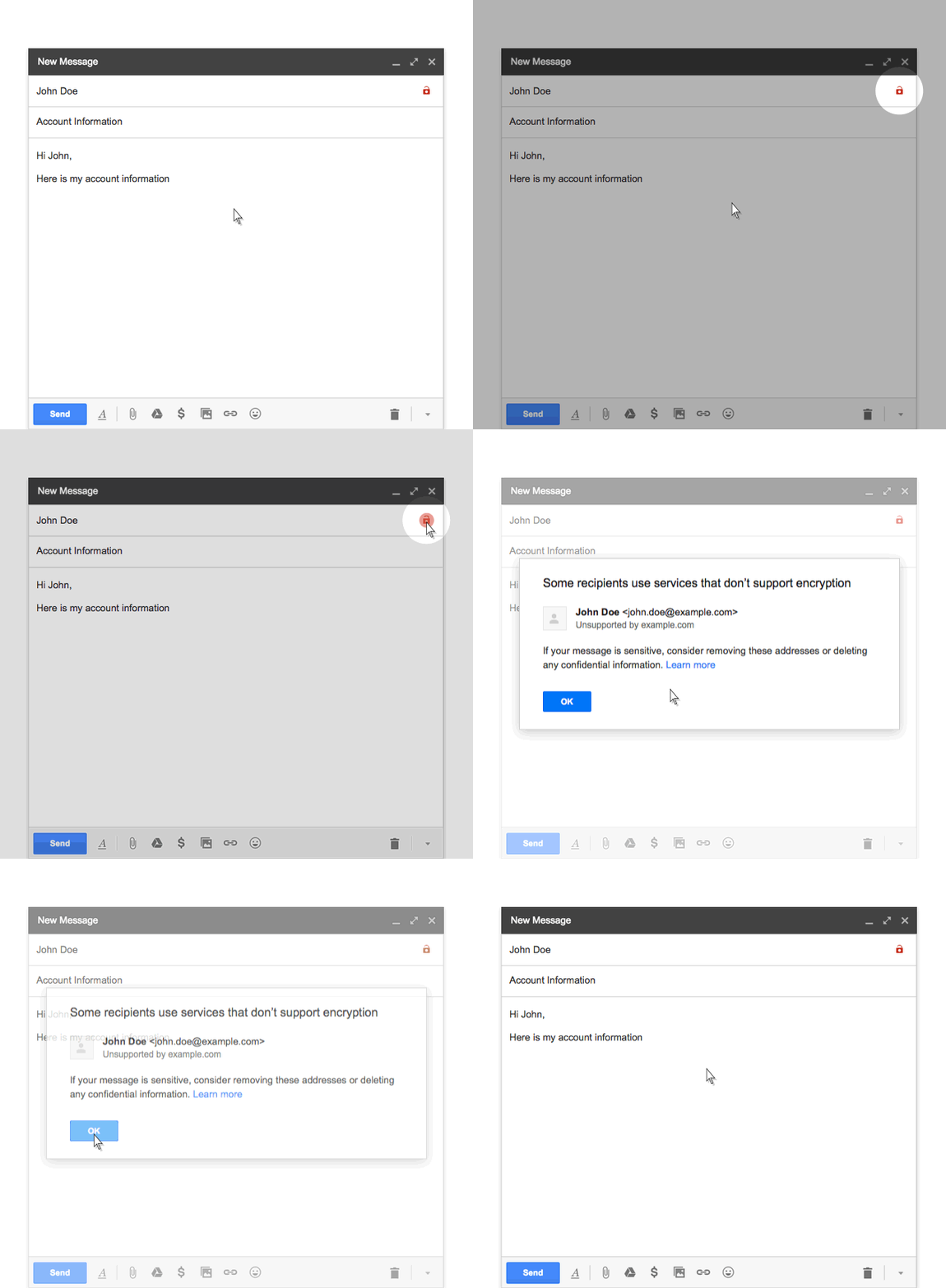
 

If you receive a message from, or are about to send a message to, someone whose email service doesn’t support TLS encryption, you’ll see a broken lock icon in the message.


If you receive a message that can’t be authenticated, you’ll see a question mark in place of the sender’s profile photo, corporate logo, or avatar.

Source: Official Gmail Blog

Share this:

  • Click to share on WhatsApp (Opens in new window) WhatsApp
  • Click to share on Facebook (Opens in new window) Facebook
  • Click to share on LinkedIn (Opens in new window) LinkedIn
  • Click to share on Bluesky (Opens in new window) Bluesky
  • Click to share on Tumblr (Opens in new window) Tumblr
  • Click to share on Pinterest (Opens in new window) Pinterest
  • Click to share on Reddit (Opens in new window) Reddit
  • Click to email a link to a friend (Opens in new window) Email
  • Click to share on Threads (Opens in new window) Threads
  • Click to share on X (Opens in new window) X
  • Click to print (Opens in new window) Print
Previous Post
Get 2GB Of Free Google Drive Space If You Complete The Account Security Checkup
All
Next Post
Finally: Account Switching on Instagram
All

Comments are closed.

Recent Posts

  • Android: Gboard Tricks December 24, 2025
  • 5 Gmail Tweaks for Android November 27, 2025
  • Gemini is now on Android Auto November 20, 2025
  • 7 Things You Should Never Store in the Cloud November 12, 2025

Categories

Top Posts & Pages

  • 8 things you should always buy with a credit card
  • Blog Stats

    • 4,459 hits

2025 Harneet Pasricha