5 Gmail Tweaks for Android

Get more out of your tech
Get more out of your tech

Annoyed that now every time you open Gmail you get that little pop up about using Google Meet? Here’s how you get rid of it. Login into Gmail on the web Click the gear icon on the top right of…
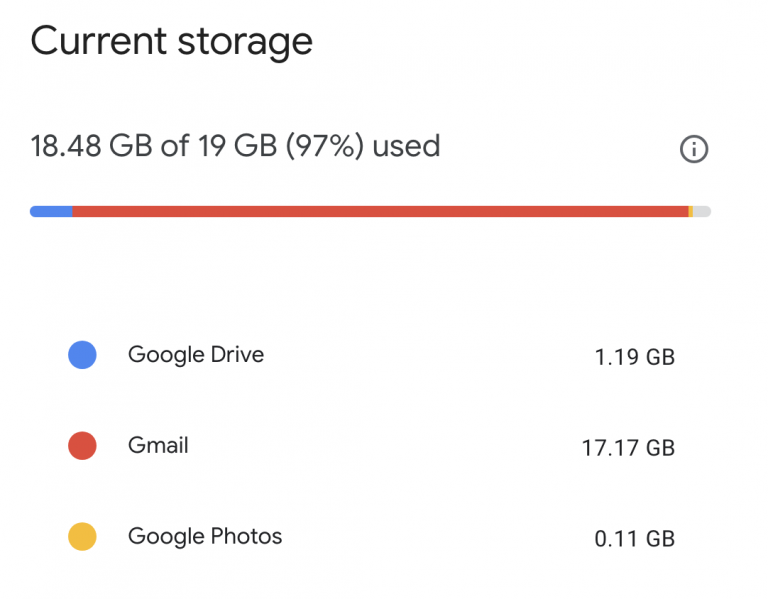
Running out of space in your Gmail? Easily find emails with large attachments by using this search command in the search box: has:attachment larger:10MB (you can change the MB to any amount you wish) Harneet Pasricha
First you’ll need to wait for the feature to roll out to your device, which may take some time. If you’re using the Gmail app, double check for any pending updates waiting to be installed. Once the feature is available, draft…
It’s not working for me yet, but you could try Google on Wednesday announced that all you have to do to get them is go to the Settings cog and select the Try the new Gmail option — if you…
The good folks at Lifehacker have 10 Gmail tips for you. Here are my favorites: Enable Undo Send to Take Back Messages You Didn’t Mean to Send Create Infinite Email Addresses that All Come to the Same Inbox Master Gmail’s…
People, Time, Weather, Conversion, Math, Stocks, Device Control, Definitions, Alarms, Sports, Translations, Gmail, Flights, Web, – Google Now does it all
Rich Text Formatting Now you can add bold, italic, underlined, colored and highlighted text to your email—all from inside the mobile app. These new options are great for making a point or emphasizing what’s important. Instant RSVPs If you use…