Upgraded to El Capitan and can’t find your dashboard? Here’s how you get it back:
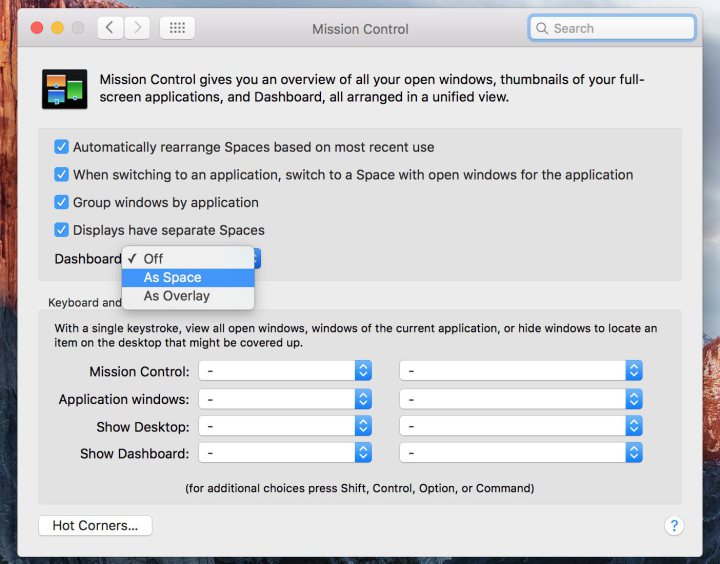
Simply navigate to System Preferences > Mission Control and where it says Dashboard, click on the drop-down menu and select As Space.

Get more out of your tech
Get more out of your tech
Upgraded to El Capitan and can’t find your dashboard? Here’s how you get it back:
Simply navigate to System Preferences > Mission Control and where it says Dashboard, click on the drop-down menu and select As Space.