
Google just rolled out a big update to Gemini Live, and the new Gemini Live voice features are aimed at one thing: getting things done without touching your screen. I spent a week talking to Gemini every morning instead of scrolling through it, and a few of these features earned a permanent spot in my routine.
What Actually Changed
The update bundles four pieces together, so you just talk and Gemini figures out which one to use:
- Spark: Handles multi-step tasks in the background, even after you close the app.
- Daily Brief: Gives you a spoken rundown of your schedule and inbox.
- Hands-Free Mode: Lets you search, sort, and delete emails entirely by voice.
- Personal Intelligence: Remembers details from past chats and pulls context directly from apps like Gmail and Photos.
My Mornings Got a Daily Brief
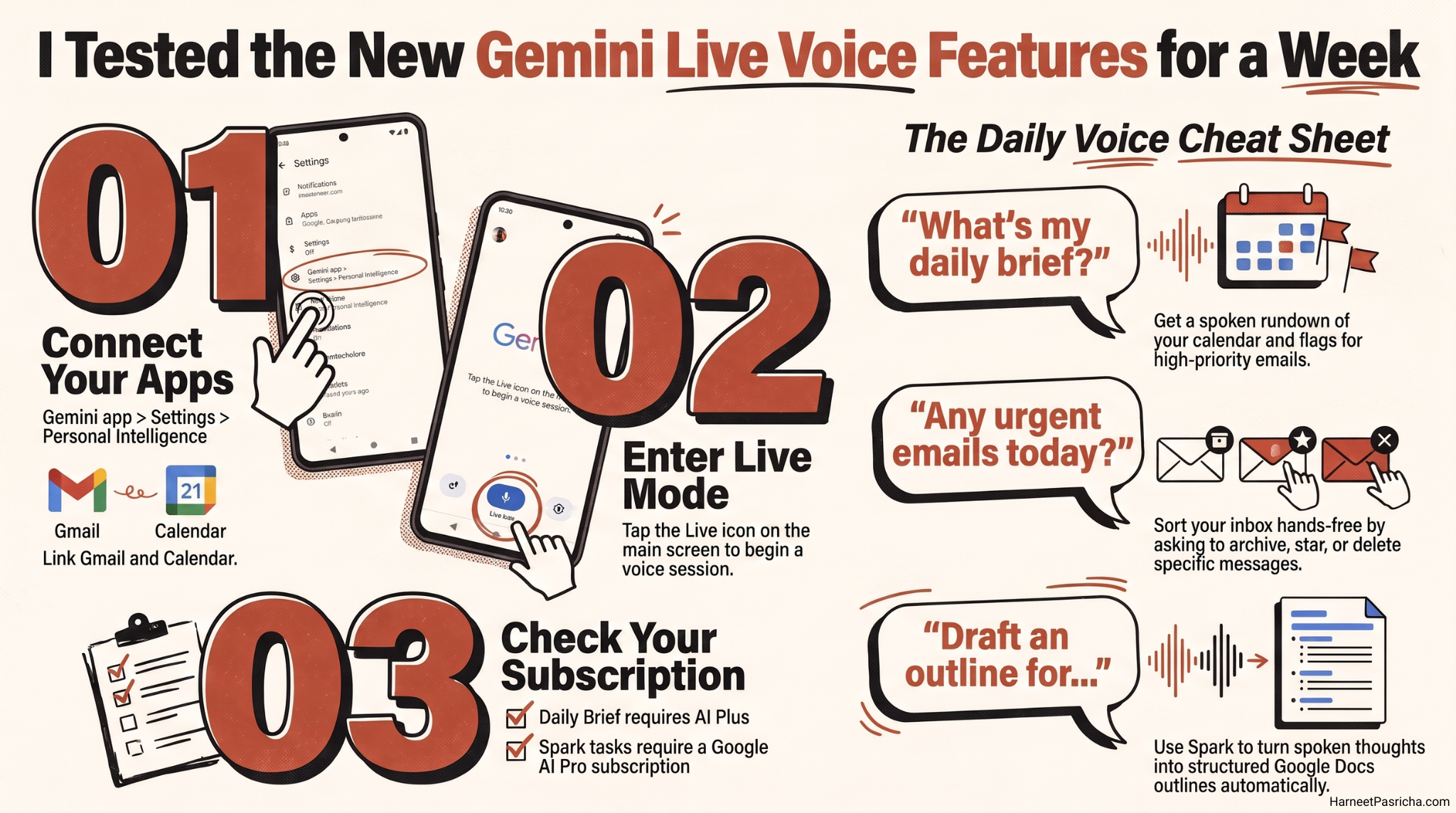
I started asking “What’s my daily brief?” while making coffee. Gemini pulled together my calendar and flagged two emails that actually mattered, buried among the usual noise. It felt closer to how I already manage notifications on Android Auto, where the goal is information without a screen in front of you. The difference is Daily Brief works from your kitchen counter, not just your car.
Handing Real Tasks to Spark
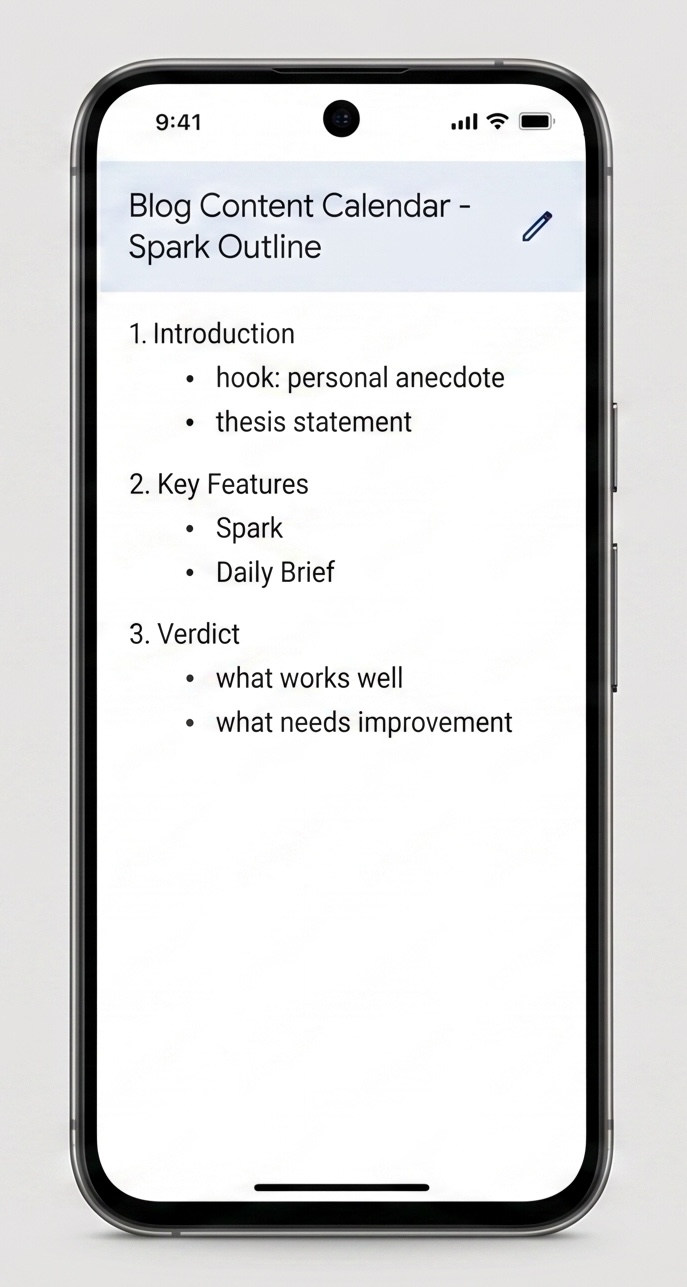
The feature that surprised me most was Spark. I rambled out loud about a blog content calendar I had been putting off, half-formed thoughts and all. By the time I sat down at my laptop, Gemini had turned it into a structured outline in Google Docs. It is not perfect. Spark occasionally organizes things in an order I would not have picked. But as a first draft generator for messy thinking, it saved real time.
Cleaning My Inbox Without Touching My Phone
This is the feature I now use daily. I already treat my inbox like a to-do list, so hands-free sorting fits naturally into that habit. Asking “Any urgent emails from the kids’ school today?” while getting dressed beats digging through Gmail one-handed. You can archive, star, or delete messages the same way.
How to Turn It On
- Open the Gemini app and go to Settings.
- Tap Personal Intelligence and connect Gmail, Calendar, and any other apps you want Gemini to draw from.
- Tap the Live icon on the main screen.
- Say a command, such as “What’s my daily brief?” or describe a task for Spark to handle.
Spark requires a Google AI Pro subscription or higher, and Daily Brief needs at least Google AI Plus. Read more on the official Gemini Live page.
What I Actually Kept Using
A week in, Daily Brief and hands-free inbox sorting are staying in my routine. Spark is useful but still a bit unpredictable for anything beyond a rough outline. If you already talk to Gemini out loud, and Google says 63 percent of users do, this update makes that habit worth a lot more.
FAQ
The August 2026 update adds Spark for multi-step background tasks, Daily Brief for a spoken morning summary, hands-free inbox management, and Personal Intelligence for memory across your past chats and apps.
Spark requires Google AI Pro or higher, and Daily Brief requires Google AI Plus or higher. Hands-free inbox sorting and Personal Intelligence are more widely available.
Connect Gmail and Calendar under Personal Intelligence settings in the Gemini app, then tap the Live icon and ask “What’s my daily brief?”
Yes. You can search, summarize, star, archive, or delete messages using natural voice commands once your Gmail account is connected.
It handles rough brainstorms and multi-step jobs reasonably well, though the structure it produces sometimes needs light editing afterward.