
I paid for Google One for over a year before I realized I was basically using it as a fancy storage locker and nothing else. Once I actually dug into my account, I found six Google One features that changed how I use my phone and laptop every single day. Here is what I wish I had turned on sooner.
1. The Storage Manager pulls everything into one dashboard
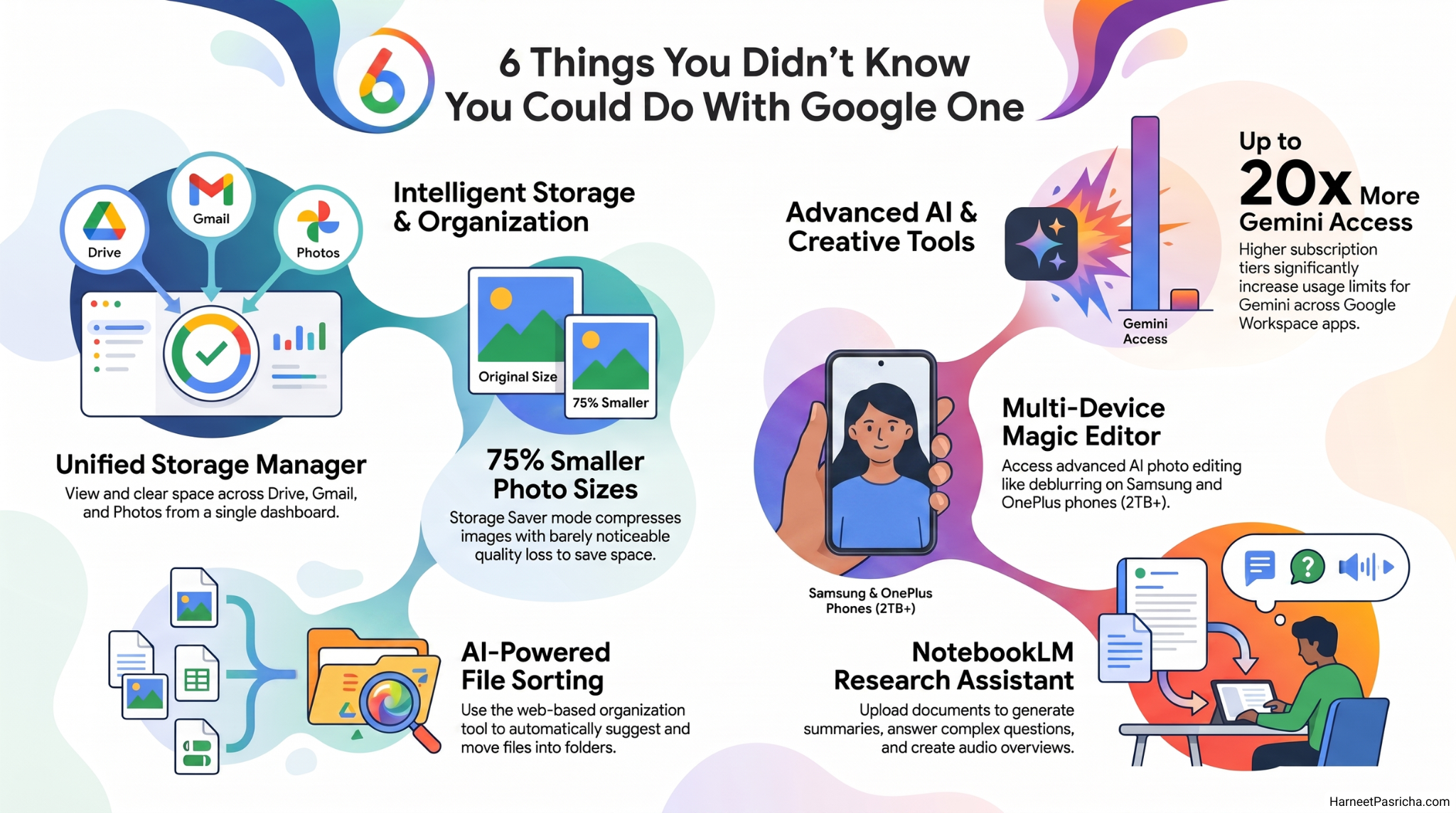
Instead of clicking through Drive, Gmail, and Photos separately to hunt for space hogs, Google One has a built in Storage Manager that shows you all three in a single view. It flags your largest files and shows what is sitting in your trash. You will find it in the Google One app on Android and iOS, or on the web, and it takes maybe two minutes to clear out a surprising amount of clutter.
2. Storage Saver mode shrinks your photo sizes by up to 75 percent
Google Photos will happily eat through your storage if you let it upload everything at full resolution. Storage Saver mode compresses your images before they upload, cutting file sizes by up to 75 percent with barely noticeable quality loss on photos. I would leave videos on original quality, but for photos alone this setting can buy you months of extra headroom.
3. The AI file sorter organizes your mess for you
If your Drive looks like a junk drawer, you are not alone. Google added an AI powered organization tool that scans your files, suggests folders, and automatically moves things into place. You can find it right in Drive on the web. It will not replace good habits like renaming files, but it gets you most of the way there with almost no effort.
4. Magic Editor is not just a Pixel exclusive anymore
Magic Editor started as a Pixel only perk, but if you subscribe to the 2TB tier or higher, Samsung and OnePlus phones can use it too. I mostly use it to deblur group photos and remove random strangers who wandered into the background. Nothing fancy, just quick fixes that used to require actual photo editing software.
5. NotebookLM turns into a real research assistant
NotebookLM might be the most underrated tool in the whole Google One lineup. Drop in a stack of PDFs, articles, or notes, and it will summarize them, answer questions, and even generate an audio overview you can listen to like a podcast. Free accounts are capped fairly low, but a Google One subscription raises your notebook limits considerably. If you’re a student or you do a lot of reading for work, it is worth exploring before your next big project.
6. Your Gemini access scales way up with your plan
Every Google account gets some Gemini access for free, but Google One multiplies it dramatically. Higher tiers significantly boost your usage limits across Gemini in Docs, Sheets, Slides, and Gmail, not just the standalone app, and the top plan pushes that access up to 20 times what a free account gets. If you already pay for storage, you are probably sitting on Gemini usage you have never touched.
None of this requires a bigger plan than you already have. Most of these tools are sitting inside whatever tier you are already paying for. I would just start clicking around your Google One settings and see what you have been ignoring. For more ways to get organized on the storage side, I broke down some of my favorite Google Drive features most people ignore in an earlier post.
Google One is Google’s paid subscription service that adds extra cloud storage to your account, along with perks like AI features and expanded Gemini and NotebookLM access.
You can access it in the Google One app on Android and iOS, or through the Google One website, as long as you have an active subscription.
No, Pixel phones get Magic Editor for free. Samsung and OnePlus owners need at least the 2TB Google One plan to unlock it.
Storage Saver compresses your photos before upload, which can shrink file sizes by up to 75 percent. Most people cannot tell the difference on photos, though it is not ideal for videos.
Yes. Usage scales with your tier, with the top plan offering up to 20 times the Gemini usage of a free account.
Not at all. It works well for research, work projects, or organizing any large stack of documents you need to summarize or search through quickly.