
Ever tapped a link in Gmail, read the page, closed it, and then realized you can never find that page again? That is the in-app browser at work. Once you disable in-app browsers on Android, links open in your real browser, where your history, tabs, and passwords actually live. Here is why I turned them off, and exactly how you can do the same.
Why in-app browsers slow you down
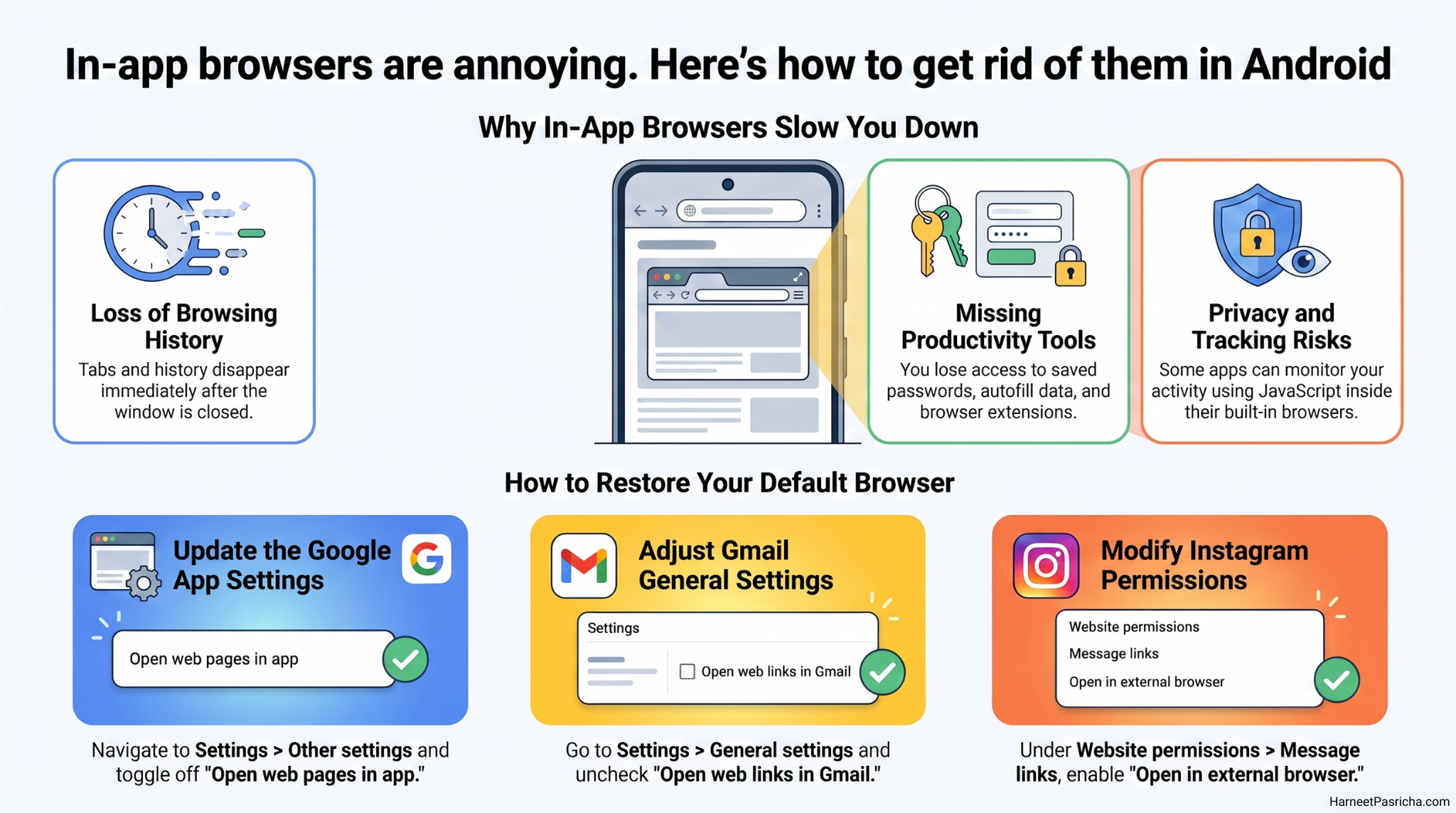
An in-app browser is a small, stripped-down web window that lives inside an app. Gmail, Instagram, and even the Google app all use one. They load fast, but they come with real trade-offs:
- No address bar in some apps, so you cannot copy or check the URL
- No extensions, saved passwords, or autofill from your main browser
- Browsing history vanishes the moment you close the window
- Some apps can watch what you do inside their browser. Privacy researcher Felix Krause showed this with his inappbrowser.com research
For quick sign-in pages they are fine. For actual reading and browsing, they get in the way.
How to disable the in-app browser in the Google app
The Google app is the biggest offender, since so many of us search from it daily.
- Open the Google app.
- Tap the Google icon in the top-left corner.
- Tap your profile picture in the top-right corner.
- Tap Settings, then Other settings.
- Turn off the toggle for Open web pages in the app.
Now every search result you tap opens in your default browser instead of a windowless viewer.
Turn it off in Gmail
- Tap the three-line menu in the top-left corner.
- Scroll down and tap Settings.
- Tap General settings.
- Uncheck Open web links in Gmail.
Links in your emails will now open in Chrome or whichever browser you prefer. If you like customizing Gmail, these pair nicely with my other Gmail tweaks for Android.
Turn it off in Instagram
- Go to your profile and tap the three-line menu in the top-right corner.
- Tap Website permissions under Your app and media.
- Tap Message links.
- Turn on Open in external browser.
A couple of things to know
Not every app gives you the choice. YouTube and Reddit still force their built-in browsers, and there is no system-wide switch in Android to shut them all off at once. Also, a few Google apps ignore your default browser setting and insist on Chrome. If that bothers you, disabling Chrome usually pushes them to respect your choice.
One small caution: your main browser will not have an app wrapped around it as a safety net, so stay alert with links from unknown senders in email.
I made these three changes in under five minutes, and links finally behave the way I expect. Pages open where my bookmarks and passwords already are, and nothing disappears when I switch apps. It is one of those tiny Android fixes that quietly improves every single day.
It is a mini web browser built into an app like Gmail or Instagram. When you tap a link, the page opens inside the app instead of in Chrome or your default browser.
For quick tasks like signing in, yes. But some apps can track what you do inside their browser, and you lose the security warnings and protections your main browser provides.
No. Android has no system-wide switch. You have to change the setting inside each app, and some apps like YouTube and Reddit do not offer the option at all.
Some Google apps ignore your default browser choice. Disabling or uninstalling Chrome usually forces them to use your preferred browser instead.
Not really. There is a brief moment while your browser opens, but you gain your saved passwords, extensions, history, and open tabs, which saves far more time overall.
Mostly, yes. These settings live inside the apps themselves, not the phone, so the steps are the same on Pixel, Samsung, and other Android devices.