
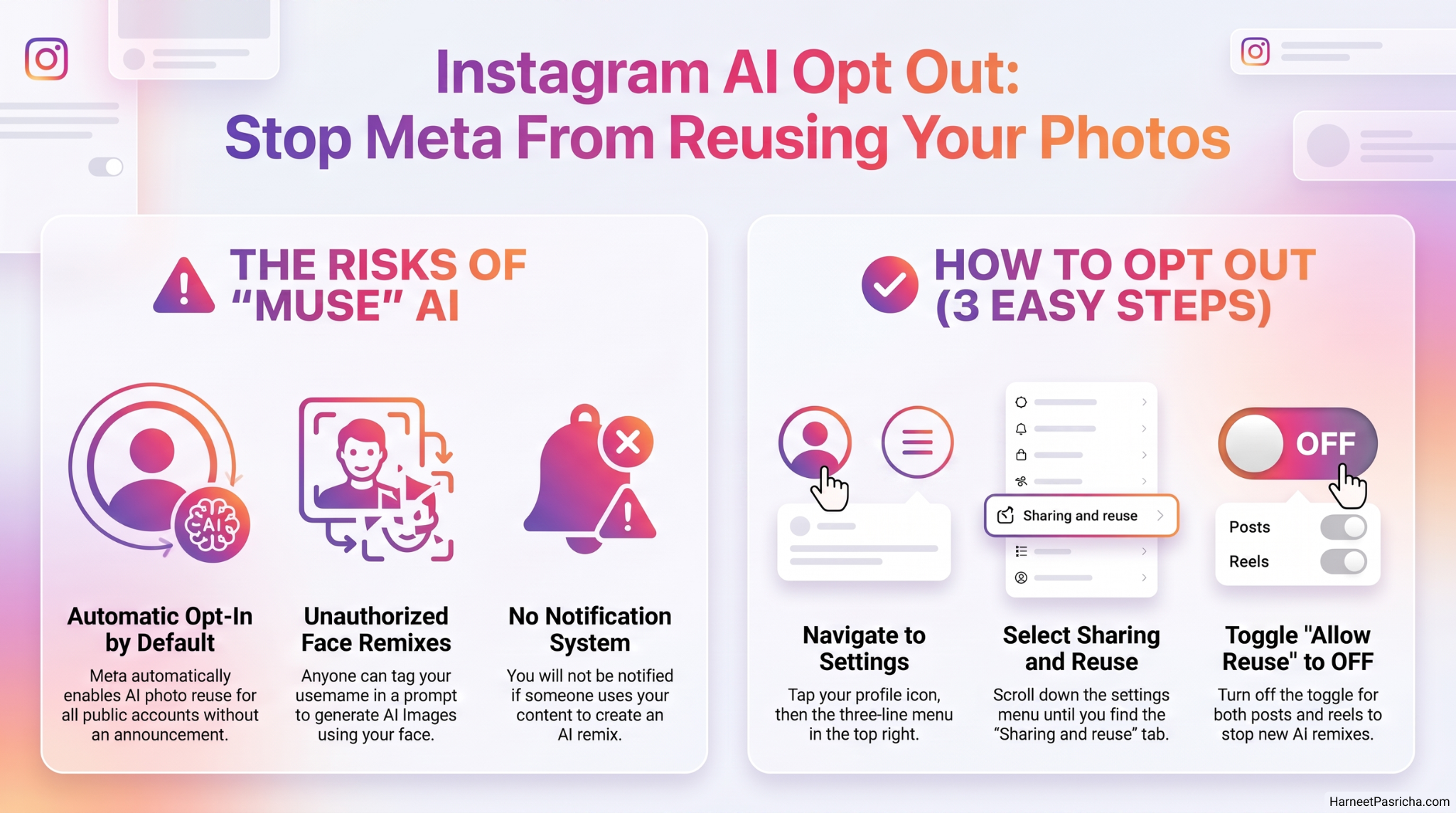
Meta just rolled out a new AI image generator called Muse, and it comes with a catch nobody asked for. If your Instagram account is public, Meta has already opted you in to letting other people use your photos to create AI remixes of you. Someone can tag your username in a prompt and generate an image based on your face without asking you first.
I went digging through my settings the moment I heard about this, and sure enough, the toggle was switched on by default. Here is how I turned it off, and how you can too.
What Muse Image Actually Does
Muse is Meta’s new AI model built into Instagram, Meta AI, and WhatsApp. It can blend multiple photos together and apply new effects to your Stories, including one that mimics a disposable camera look. That part is harmless fun.
The problem is the “tag to create” piece. Anyone can tag a public account in a prompt, and Meta AI will pull that person’s public photos to generate a new image. You will not get a notification if this happens to you, and if someone already made a remix before you opt out, it will not be deleted.
How to Turn Off AI Reuse of Your Photos
You do not need to make your account private to protect yourself. There is a specific setting for this.
- Open the Instagram app and tap your profile icon.
- Tap the three-line menu in the top right corner.
- Scroll down and tap Sharing and reuse.
- Find Allow people to create with and reuse your content.
- Toggle it off for both posts and reels.
That is it. Your account stays public, but your photos are no longer fair game for AI remixes triggered by a tag.
A Few Things Worth Knowing
This setting only stops new remixes going forward. Anything already generated before you flip the toggle sticks around. It is also easy to miss since the feature launched turned on for everyone, so it is worth checking even if you do not remember seeing an announcement.
This is part of a bigger pattern lately, with companies quietly opting users into AI training and generation by default. I ran into the same thing with Google’s search AI settings a few weeks back, and the fix there also came down to a single hidden toggle.
If you want to read Meta’s own explanation of how Muse works, their announcement post lays out the feature in more detail.
Takes about ten seconds once you know where to look, and it is one of those settings worth checking today rather than putting off.
No. You can keep your account public and still stop people from using your photos in AI remixes. The reuse setting is separate from your privacy setting.
No. Any remix created before you turn off the setting stays live. This only blocks new remixes going forward.
Yes. The Sharing and reuse setting is available in the Instagram app on both platforms and works the same way.
No. Instagram does not currently send a notification when someone remixes your tagged photos, so you will not know unless you happen to see it.
The setting covers content tied to your Instagram account. If you post separately through Meta AI or WhatsApp, check the privacy settings in those apps as well.
It stays on until you manually change it again. Meta could reset defaults with a future update, so it is worth an occasional check.